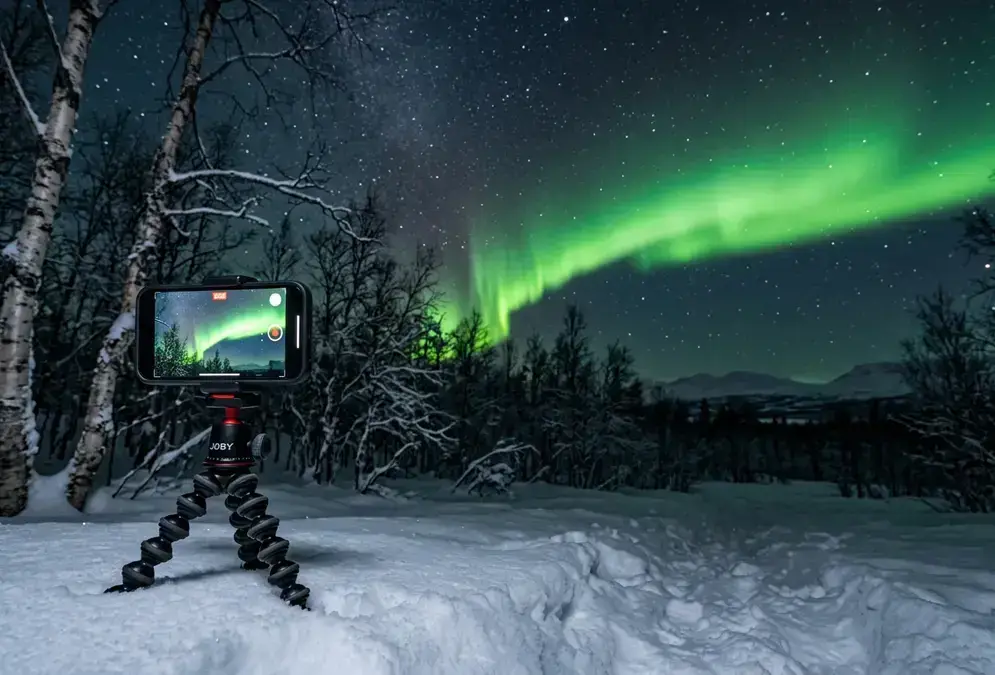
Can your phone actually capture the aurora over Abisko?
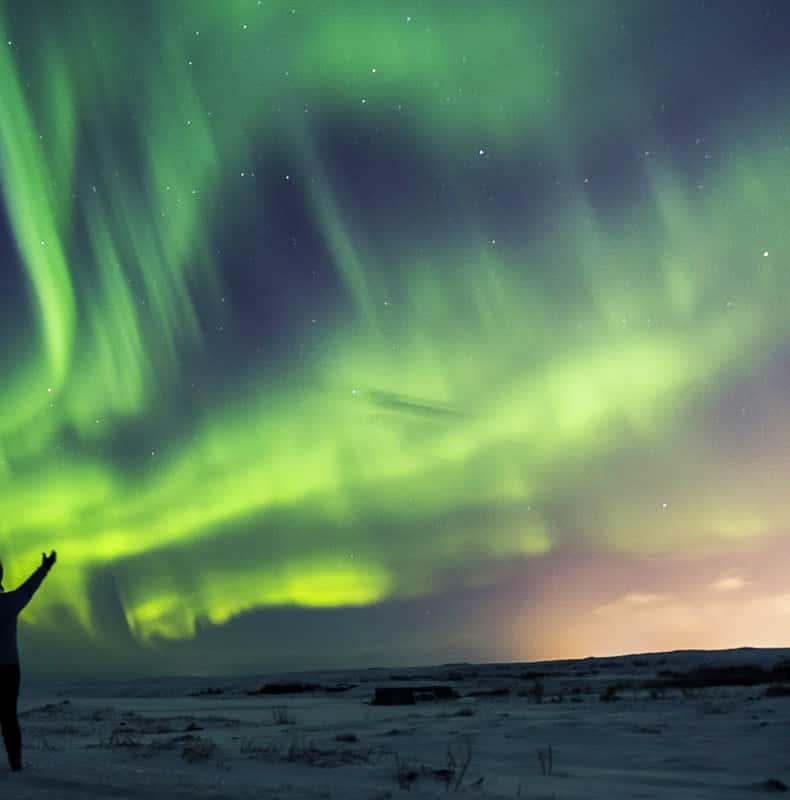
Yes, as long as the aurora itself is doing something more than a faint gray smear low on the horizon. Modern phones lean on computational photography: instead of one long exposure, the camera fires a rapid burst of shorter frames and merges them into a single bright image. That's the trick behind iPhone's Night Mode and Android's Pro Mode or Astrophotography Mode, and it's also why a phone photo of a genuinely active, dancing green curtain over Abisko National Park can look startlingly close to what your eyes just saw.
A pale, barely-there glow is a different story. The same noise reduction that brightens a dim frame also drags grain up with it, until the result looks more like static with a green tint than an aurora. If you're squinting at the sky and asking your travel companion whether that's really it, your phone will squint just as hard. Check the forecast before you commit a cold hour to trying: Best Time to Stargaze in Abisko covers the Kp index and moon-phase timing that decide whether tonight is a phone night or a stay-inside night.
One more distinction worth making up front: this guide is phone-only. If you're carrying a mirrorless or DSLR body, the settings, lens choices, and cold-weather kit list are different enough to earn their own guide: see Abisko Astrophotography Gear instead.
iPhone Night Mode settings for Abisko's aurora, step by step
iPhone doesn't ship a dedicated astrophotography mode the way some Android flagships do. What it has instead is Night Mode, which switches on automatically once the camera detects a low-light scene, or you can trigger it yourself by tapping the half-moon icon in the top-left corner of the frame[7]. Either way works for aurora; manual triggering just means you aren't waiting for the camera to decide the sky is dark enough.
Once Night Mode is active, tap its icon again and drag the exposure slider yourself rather than trusting the automatic pick. For aurora specifically, the glow needs a genuinely long exposure to register at all: 2 to 10 seconds is the working range for a fast-moving curtain, since it holds onto shape and ribbon detail that a longer exposure smooths away[5]; push toward 20-30 seconds only when the display is dim and largely static, since that's enough time for the shutter to turn a real curtain into a flat glow. It also helps to nudge exposure slightly lower than the camera wants so the greens don't blow out into a washed, detail-less block.
Shoot in RAW if your iPhone supports Pro RAW, found in Settings > Camera > Formats. ISO 1600 is a reasonable starting point for smartphone night-sky work generally, and a RAW file holds far more shadow and color detail than the compressed JPEG your camera saves by default, which matters once you're trying to pull a faint purple fringe out of a green curtain later on a laptop[2].
2-10 sec
What if your phone predates Night Mode?
Older iPhones, before the 11 Pro, and budget Android phones without a low-light mode will underexpose the aurora into a near-black frame with a faint green cast. If that's what you're working with, no setting in this guide fixes it. Borrowing a friend's newer phone for the night will do more for your photos than any exposure trick.
Android in Abisko: Pixel's Astrophotography Mode, Samsung Night mode, and manual apps
Google's Pixel phones go further than Night Mode alone: recent models include a dedicated Astrophotography Mode that runs roughly four minutes of automatic exposure stacking, and the phone only offers it once it detects the camera is on a tripod or otherwise held perfectly still[1]. That stillness requirement is not a suggestion. Four minutes of a Pixel wobbling in bare hands produces nothing usable; four minutes on a tripod, aimed at a stretch of sky with a genuinely active display, can produce a detailed frame.
Samsung Galaxy phones handle this differently, and less obviously. There's a Night mode, but on many recent Galaxy models it isn't automatic and doesn't sit on the main dial: look for it under the Camera app's More menu. Once it's running, treat it the same way as iPhone Night Mode: steady the phone, keep the exposure moderate rather than maxed out, and check the first frame before committing to a full session.
If your phone's native camera app has no manual controls at all, and no Night or Astrophotography mode either, a dedicated app fills the gap. NightCap and ProCamera are both built for exactly this: manual ISO, shutter speed, and focus control that a budget phone's stock app keeps locked away[11].
| Setting | iPhone Night Mode | Samsung Night mode | Pixel Astrophotography Mode |
|---|---|---|---|
| Trigger | Automatic in low light, or tap the half-moon icon | Manual only: Camera app > More > Night | Automatic suggestion once the phone is still on a tripod |
| Exposure | Manual slider, 2-10 sec recommended for a moving curtain (20-30 sec if faint and static) | Set within the mode, keep it moderate | About 4 minutes, fully automatic |
| Best for | Fast setup on a moving curtain | Galaxy phones without a dedicated astro mode | A faint, slow-moving glow with a tripod already set up |
Tripods, phone mounts, and the focus mistakes that ruin aurora shots
A phone braced against a rock or a gloved hand will not hold still for a multi-second exposure, let alone Pixel's four-minute stack. A tripod is not optional for phone aurora photography any more than it is for a full camera rig. Most travel tripods don't ship with a phone mount built in, so check the listing before you buy: you need a phone clamp, a tripod adapter that grips the case, not just the bare metal frame most tripods are designed for.
The single most common mistake, and the easiest one to fix, is trusting autofocus or twisting to the printed infinity mark and calling it done. Smartphone autofocus hunts uselessly in near-total darkness, and on most lenses the true infinity point sits slightly before the printed symbol, not on it[6]. Tap and hold on the brightest star or a distant light to lock manual focus, and leave it alone for the rest of the session.
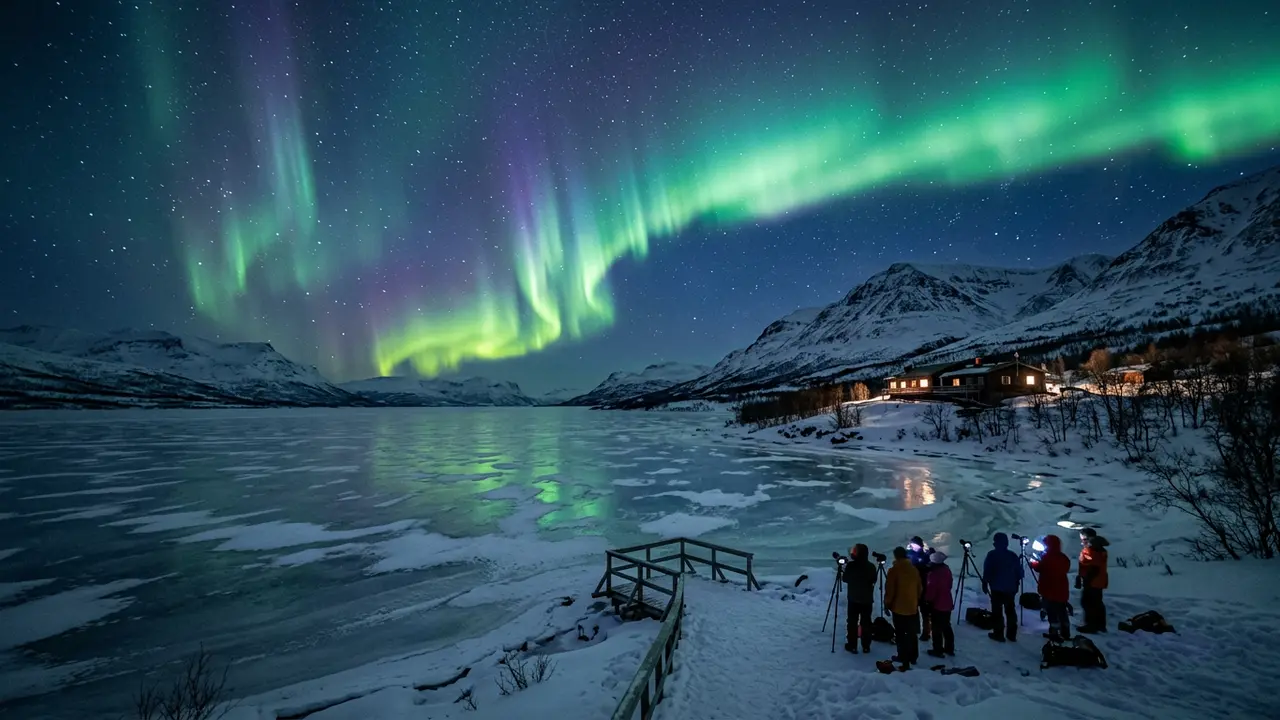
Featured · Destination
Abisko Stargazing
Abisko's rain-shadow microclimate keeps skies clear when nearby Arctic spots cloud over. Aurora season, the Sky Station, ICEHOTEL, and getting there by train.
The second common mistake happens right at the shutter: tapping the screen to fire the exposure introduces just enough vibration to blur a long shot. Use the phone's built-in self-timer, a wired-earbud volume button, or a small Bluetooth remote instead, any of which fires the shutter without a finger anywhere near the glass[8].
Cold-weather battery care: why Abisko's winter drains a phone fast
This is the section a version of this guide written for a desert destination doesn't need. Abisko's coldest month is January, when the average high sits around -7°C (19°F) and the average low drops to -14°C (7°F), with genuinely long, dark winter nights, exactly the window that makes aurora photography possible here in the first place[9].
Recommended tours
Tours are selected for quality, not commission. I earn a small fee if you book — at no extra cost to you.
Most phone batteries have a comfortable operating range of 0°C to 35°C (32°F to 95°F)[12]; step outside that and performance turns unpredictable before anything is actually broken. Cold increases a battery's internal resistance, forcing it to work harder to deliver the same power, and a phone can shut off unexpectedly even while the screen still shows a healthy percentage. The good news: that capacity loss is temporary and comes back once the phone warms up[4].
-14°C
The damage that isn't temporary comes from charging, not from the cold itself. Plugging a sub-freezing phone straight into a charger risks lithium plating, permanent metallic deposits on the battery's anode that quietly reduce its total capacity going forward. Let a phone that's been outside warm to room temperature for 20 to 30 minutes before you plug it in, every time[4].
What actually works on a night at Aurora Sky Station Abisko Night Visit or out on the lake ice:
- Keep the phone in an inner jacket or trouser pocket, close to your body, between shots; the layer of clothing and your own body heat keep it noticeably warmer than the outside air and slow the drain considerably[3]
- Switch on Low Power Mode or Battery Saver before you head out, not after the battery is already struggling
- Carry a small power bank inside your coat, not in an outer bag, so it's warm and ready when the phone dips
- Never charge a cold phone outdoors; bring it inside and let it sit for half an hour first
Reviving a phone that shut off in the cold
A phone that powers off outdoors at -15°C almost always isn't dead. Move it into an inner pocket or a warm car for a few minutes and it will usually restart at close to the charge level it showed before it shut off, because the cells recover their capacity as they warm, not because anything was fixed.
When your phone hits its limit
Be honest about what you actually saw before blaming your phone. If the curtain was throwing green light onto the snow and shifting shape while you watched, your phone should have delivered something close to that. If it was a faint, static grey-green haze you had to squint at, no setting in this guide would have saved the shot: that's the display-strength ceiling for any phone, not a settings problem.
The honest dividing line is Kp index and cloud cover, not which phone you own. A Kp 4 or 5 night over Abisko will photograph well on almost any recent flagship; a quiet Kp 1 to 2 night can look gorgeous to the naked eye and barely register through anything short of a dedicated camera with a fast lens wide open. the named viewpoints worth the walk covers where around the valley gives you the clearest run at either kind of night.
Read next · Article
Abisko Astrophotography Gear for Aurora and Clear Skies
The camera gear built for Abisko's Arctic nights: fast wide lenses, carbon-fiber tripods, manual aurora and star-trail settings, and battery care for the cold.
There's no shame in stopping at a phone. A sharp, colorful photo of a real aurora over Abisko's birch forest and lake ice is a genuinely good souvenir, and unlike a camera bag, it fits in a coat pocket for the rest of the trip.