Yes, Your Phone Can Actually Photograph This Sky

Bryce Canyon earned its International Dark Sky Park certification in 2019[1], one of the darkest, most protected night skies of any national park in the country. On a clear night with no moon up, the amphitheater rim gives you thousands of visible stars and the full band of the Milky Way stretching overhead with nothing more than your own eyes[2]. Photographing that with a phone used to mean a black frame and a lot of disappointment.
That's changed. Night mode and its more capable sibling, Astrophotography mode, are built into every recent smartphone camera app, and they're designed for exactly this kind of dark. Neither turns your phone into a mirrorless camera; you won't get the pinpoint stars and rich color a dedicated astrophotography setup can pull off. What you will get, with almost no equipment and about ten minutes of setup, is a photo that actually shows the sky you were standing under instead of a smear of noise.
This guide sticks to what a phone alone can do: the settings to use, the cheap tricks that keep the shot sharp, and the battery habits that keep your phone alive on a cold rim after dark. For the bigger picture on when to go and where to stay, the stargazing in Bryce Canyon National Park hub covers moon phases, seasons, and lodging.

Turning On Night Mode (and Letting Astrophotography Mode Kick In)

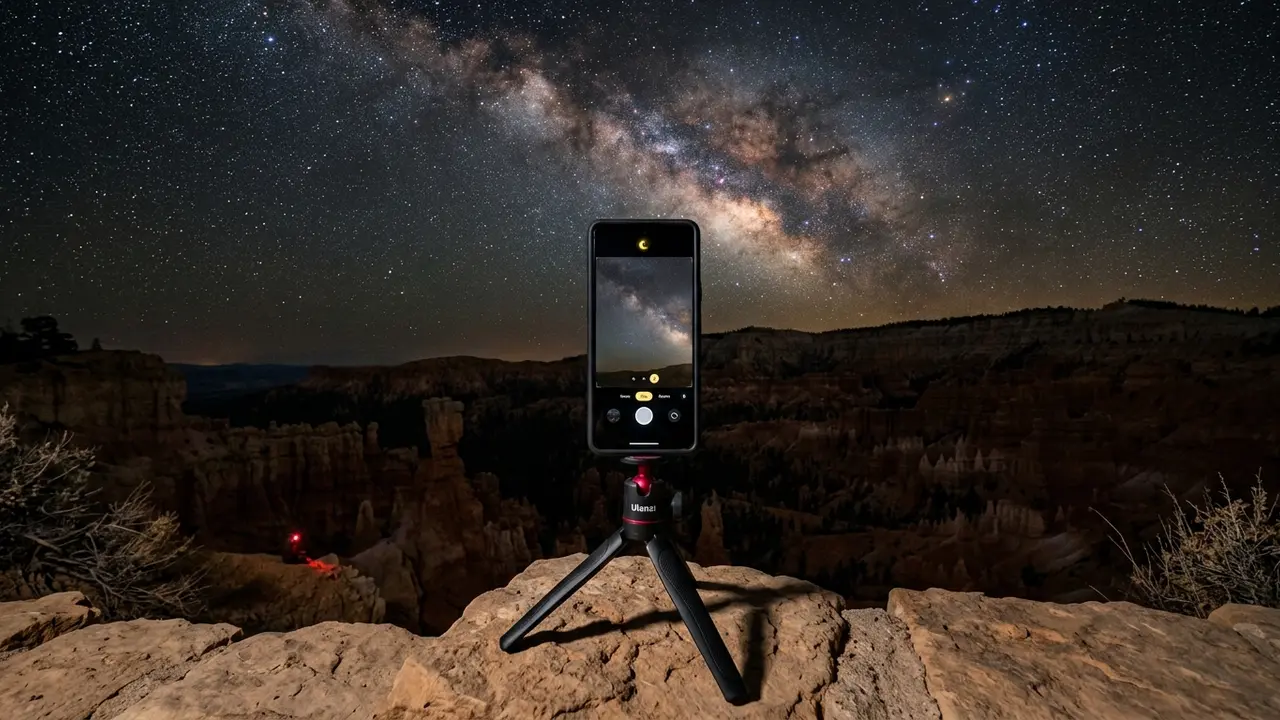
Point your phone's camera at the sky after dark and Night mode usually switches on by itself: watch for a yellow crescent-moon icon near the top of the screen[3]. That icon means the camera is about to hold its shutter open far longer than a normal snapshot, gathering enough light to record stars your eye can see but a quick photo can't.
On most current phones, Astrophotography mode is a longer, more capable version of that same feature, able to run exposures up to three minutes[4]. Exactly which conditions flip a phone from standard Night mode into that extended mode differs by model and software version, so don't waste time hunting for one specific setting. What matters in practice is the same everywhere: point the phone at genuinely dark sky, keep it dead still, and let the camera do the rest.
If your phone doesn't offer a separate Astrophotography mode, a plain long-exposure Night mode shot still works fine. Most current Android flagships ship some version of the same idea, often branded around Night Sight or an Astro mode in their own camera app, aimed at the same dark-sky problem. The core advice in this guide, dark sky, dead-still phone, patience, applies whichever brand you're holding.

3 minutes

The longest single exposure Astrophotography mode can hold on a recent phone, long enough to gather real detail from a sky this dark without you touching a single manual setting.

Keeping the Phone Dead Still: Tripod and Grip Tricks

Long exposure and a shaky hand cancel each other out. Even the slightest movement smears every star into a short streak, because Night mode's whole point is holding the shutter open long enough to gather faint light, and that same long window is what makes handheld shots fail[5]. For the best Night mode or Astrophotography mode results, the phone needs to rest on a tripod or another genuinely stable surface, not your hands[6].
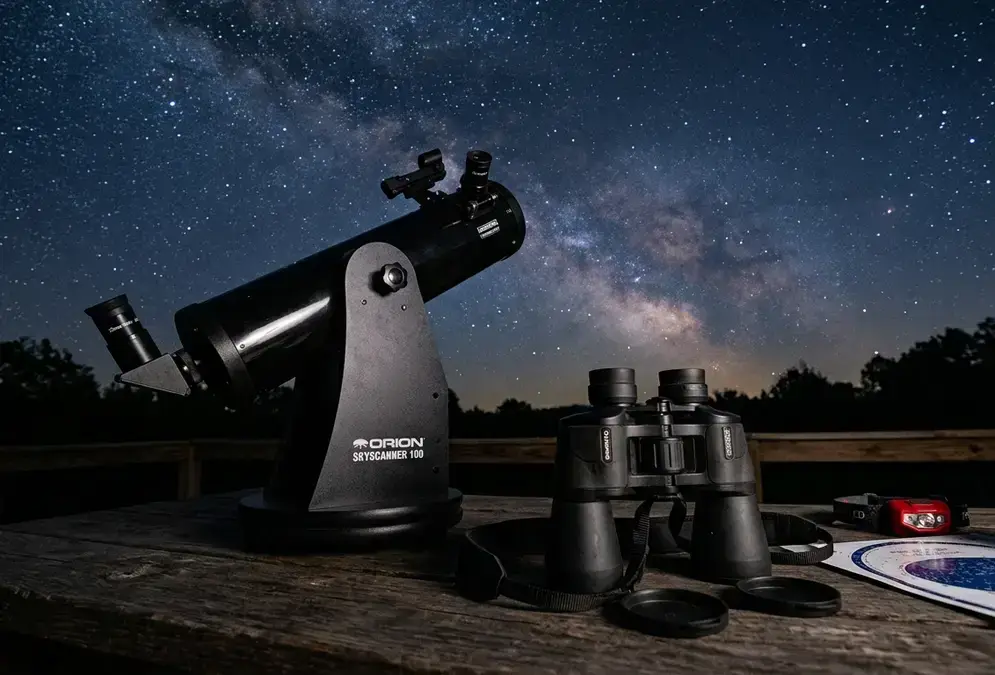
You don't need real camera gear for this. A cheap universal phone-tripod clip, the kind sold for selfie sticks, screws onto almost any lightweight travel tripod, and either one packs down small enough to live in a jacket pocket for the whole trip. No tripod on hand? The rim overlooks at Bryce give you plenty of natural options: a flat section of railing, a boulder, the hood of a parked car, or a rolled-up jacket wedged into a rock crevice. For a broader look at gear tiers beyond a phone clip, stargazing gear for beginners covers binoculars, telescopes, and smart telescopes worth knowing about before deciding a phone alone is enough.

A few habits from here save more shots than any accessory:

  • Use the volume button or a wired earbud's remote as a shutter release, since even tapping the screen can nudge the phone enough to blur a long exposure
  • Turn on the self-timer, two or three seconds is enough, for the same reason
  • Brace the tripod's legs against wind with a hand on the tripod itself, not the phone, right before the shutter fires
  • Check the shot immediately and reshoot if you see any blur; a second attempt costs a few seconds, not a ruined night
Featured · Destination

Abisko Stargazing

Abisko's rain-shadow microclimate keeps skies clear when nearby Arctic spots cloud over. Aurora season, the Sky Station, ICEHOTEL, and getting there by train.

Cold Nights, Draining Batteries: Keeping Your Phone Alive at the Rim

A phone's lithium-ion battery runs on a chemical reaction, and cold slows chemical reactions down. Drop the temperature far enough and the ions inside the battery move so sluggishly that the phone can't deliver power the way it does in your living room[7]. Batteries perform best in a fairly narrow band, roughly 20 to 30 degrees Celsius[8], a range no rim overlook at Bryce Canyon hits once the sun goes down, whatever the season.
Push the cold far enough and a phone battery can stop responding entirely, something that starts to happen around -40 degrees Celsius in the most extreme cases[9]. Bryce's high plateau doesn't usually reach numbers that severe, but a clear winter or shoulder-season night still gets cold enough that a phone left exposed on a tripod for twenty minutes of long-exposure shots can lose a meaningful chunk of its charge, or stop responding mid-shot, well before it would at sea level on a mild evening.

A short checklist keeps a phone working through a full night of shooting:

  • Keep the phone in an inside jacket pocket between shots rather than mounted the whole time; body heat does more for a battery than any case
  • Carry a portable power bank, ideally one you've also kept warm, rather than counting on a single charge to last the whole session
  • If the phone stops responding to touch, warm it against your body or set it near, not on, a heat source like a car's dash with the heater running, and give it a few minutes to recover before trying again[10]
  • Skip the thin gloves; a warm phone in a cold bare hand loses heat fast, so keep both under a real glove or mitten between shots
Smartphone mounted on a small tripod at Bryce Canyon's rim on a cold, clear night, screen showing a low battery warning with the Milky Way visible overhead

Smartphone mounted on a small tripod at Bryce Canyon's rim on a cold, clear night, screen showing a low battery warning with the Milky Way visible overhead

None of this is unique to smartphones. Dedicated cameras fight the same cold at this elevation, but a phone's smaller battery feels it faster and with less warning.

Framing the Shot: Hoodoos, Horizon, and Manual Focus

A phone screen full of stars and nothing else reads like a stock photo. What turns a Bryce Canyon night shot into something worth keeping is the same thing that works for any landscape: give the eye somewhere to land before it reaches the sky.
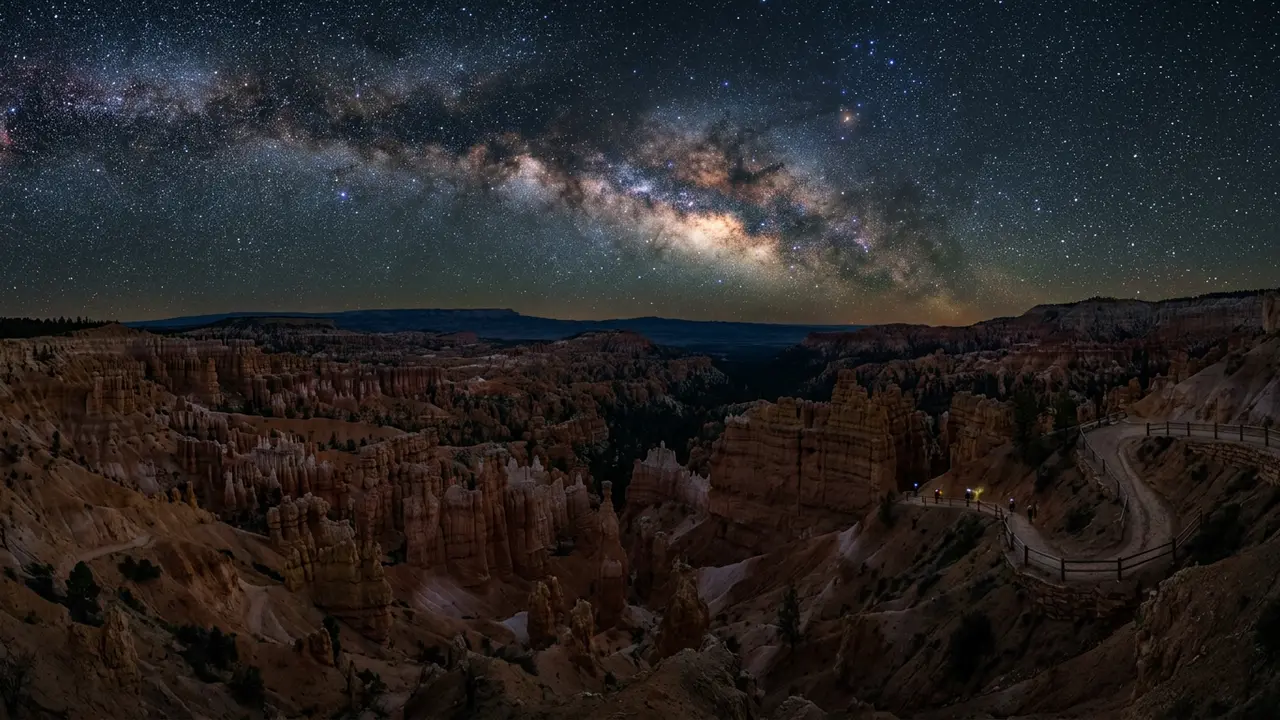
The park hands you that foreground for free. Hoodoo silhouettes along the rim, a lone juniper, the dark shape of a distant ridge, any of them anchors the frame and gives the Milky Way something to arc over rather than float in empty space. Keep the horizon low, in roughly the bottom third of the frame, so the sky gets the room it needs.

Autofocus is the other thing that quietly ruins phone night shots. In near-total darkness, a phone's camera hunts for something to lock onto and often fails, leaving the whole frame soft. Before you shoot:

  • Tap and hold on the brightest star or distant light you can see to lock focus manually, rather than trusting autofocus to find it on its own
  • If your phone offers a manual or Pro camera mode, switch to it and set focus to infinity by hand, checking the result by zooming into the preview
  • Reframe after locking focus if you need to; most phones let you drag the focus point without losing the lock
  • Take a couple of test shots and zoom in on the actual stars, not just the thumbnail, before committing to a full night at one spot
Featured · Article

What Is Light Pollution? Definition, Types, and Solutions

Light pollution is artificial light brightening the night sky, affecting 80% of the world. Learn the 4 types, wildlife and health effects, and how to fix it.

None of this requires the manual ISO and shutter-speed control a dedicated camera gives you. It's mostly about not letting the phone's own automation work against you at the one moment it can't see well enough to help.

Planning Your Night: Timing, Moon Phase, and a Simple Checklist

Even perfect settings can't fix a bad night. Best time to stargaze at Bryce Canyon covers the new-moon windows and seasonal weather patterns that decide whether there's a real Milky Way to photograph on a given night, information no camera setting can substitute for. A full moon washes out the same sky a phone struggles with even under good conditions, so check the moon phase before you plan the trip, not after you're standing at the rail with a dead frame.
Where you stand matters almost as much as when. Best stargazing spots in Bryce Canyon walks through the rim's named viewpoints and which ones give a phone camera a clean sightline to the galaxy's core without a streetlamp or a parking-lot glow creeping into the corner of the frame.

A short kit list covers what a first phone-only night at Bryce actually needs:

  • A recent smartphone with Night mode or Astrophotography mode
  • A small tripod or phone-tripod clip, or a plan for propping the phone on rock or railing
  • A portable power bank, kept warm in an inner pocket
  • A headlamp with a red-light setting, so you don't wreck your own night vision or anyone else's
  • Airplane mode turned on, which stops the phone from burning battery hunting for a signal it won't find at most rim overlooks
Whatever gear ends up in your pocket, dark sky etiquette covers the red-light discipline and quiet-hours habits that keep a rim overlook workable for every other phone and camera pointed at the same sky. And if a night or two with a phone leaves you wanting the sharper, more colorful shot only a dedicated camera can pull off, Bryce Canyon astrophotography gear picks up exactly where this guide stops.