
Yes, Your Phone Can Actually Photograph This Sky

Death Valley National Park carries a specific distinction among America's protected night skies: it holds the largest Dark Sky National Park in the USA[1], a designation built on scale and distance from cities rather than any single dramatic peak. On a clear, moonless night, the Milky Way's core arcs overhead in a band bright enough to cast a faint shadow, and until recently, capturing that with anything less than a dedicated camera meant a black frame and a wasted night.
That's changed. Modern smartphones run Astrophotography mode, a specialized long-exposure setting built for exactly this kind of dark, and current flagship phones handle most of it with almost no manual input. What a phone still can't match is the pinpoint stars, rich color, and full manual control of a dedicated mirrorless setup: for that, Death Valley astrophotography gear is the dedicated-camera version of this guide, covering lenses, star trackers, and manual exposure stacking. This one sticks to what's already in your pocket.
The real trade for that convenience isn't the one most guides warn about. Death Valley's after-dark problem isn't a battery fumbling in freezing air the way it is on a cold, high-elevation rim; it's a phone that's spent the whole day absorbing desert heat before you ever pull it out to shoot. For the fuller picture on when to go and where the sky actually delivers, stargazing in Death Valley covers seasons, certification, and lodging in depth.

Astrophotography Mode: What Your Phone Actually Does

Point a recent Android phone's camera at the sky after dark and hold it steady, and current flagships switch into a long-exposure night setting on their own. On Android, that's Astrophotography mode, a specialized extension of Night Mode that uses exposures up to three minutes long[2]. iPhone works differently: its Night Mode has no dedicated astrophotography setting, and on a tripod it caps out around 30 seconds[3], a fraction of what Android's astro mode holds open. Three minutes is a genuinely long time for a shutter to sit open on the phones that offer it, long enough to gather faint starlight a normal snapshot never records.
Google's current flagship pushes that further. Point a Pixel 10 Pro at the sky on a tripod and it doesn't wait for you to switch modes: the phone detects when it is steady and automatically enters Astro mode, capturing exposures for up to 4 minutes, stacking multiple images to remove noise and sharpen stars[4]. That stacking step matters more than the raw exposure length. A single four-minute exposure gathers plenty of light and plenty of sensor noise; merging several shorter frames in software is how a phone camera, with a sensor a fraction the size of a dedicated camera's, still produces a clean result.

A few habits make the difference between a real exposure and a wasted one:

  • Let the phone's automatic mode detection do the work rather than hunting for a manual override
  • Expect exposures anywhere from a few seconds up to three or four minutes, depending on model and how still the phone actually is
  • Don't touch the screen once the exposure starts; a stacking process needs every frame aligned

4 minutes

The longest single automatic exposure a Pixel 10 Pro's Astro mode holds when the phone senses it's steady on a tripod, stacking several frames into one clean shot of Death Valley's sky.

Keeping the Phone Dead Still: Tripods, Remote Shutters, and Manual Apps
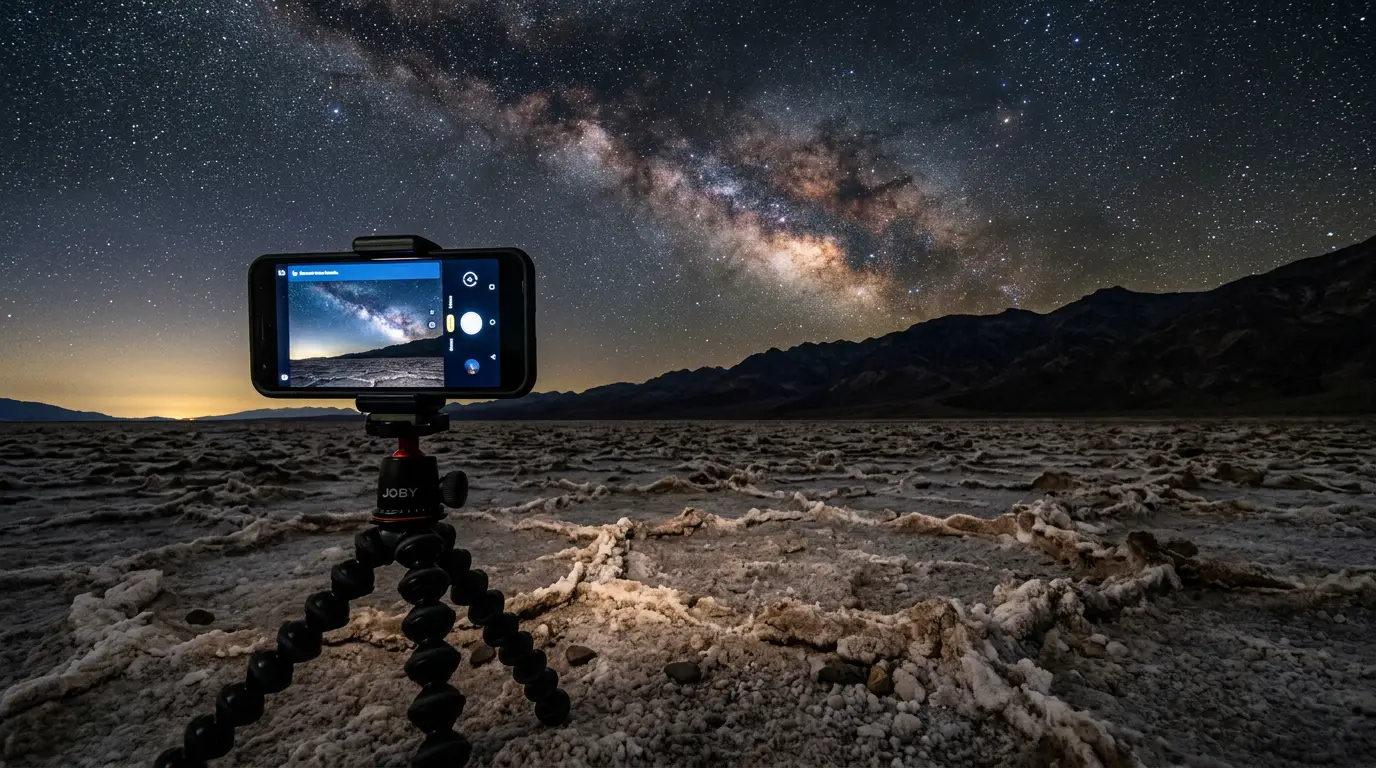
None of that exposure length matters if the phone moves. A smartphone tripod is one of the simplest and most effective smartphone astronomy gadgets[5], because any image of the night sky needs a long exposure, and a long exposure means stability: a tripod and a bracket that holds the phone steady. Handheld, even a rock-solid grip fails against a three-minute shutter; the smallest tremor smears every star into a short streak.
You don't need to spend much to solve this. The GripTight ONE GP Stand, a small, portable smartphone tripod[6], is the best-known of a handful of similarly compact travel tripods; lightweight clamp-style options like the Phopik and ZETONG phone tripods do the same job at a similar price. Any of them packs down small enough to live in a day bag for the whole trip, which matters on salt flats and dune fields where there's no railing or ledge to prop a phone against.
The second habit that saves more shots than any accessory: don't touch the phone once it's mounted. A wireless remote shutter, such as one that operates via Bluetooth, lets you press capture without touching the handset itself[7], cutting the risk of nudging the setup out of place at the worst possible moment. A basic Bluetooth remote costs little and pairs with most phone camera apps in seconds.

Featured · Destination

Death Valley

Death Valley's Gold-tier dark sky sits at the lowest point in North America. Here's when to visit, where to stay, and how to handle the extreme summer heat.

For manual control beyond what the stock camera app offers, one app worth knowing:

  • NightCap Camera carries presets for stars, meteors, the International Space Station, and star trails[8]
It doesn't turn a phone into a mirrorless camera. What it adds is the kind of override a dedicated camera gives you by default, useful once stock Astrophotography mode stops being enough.
For gear that goes further still, tripod heads, star trackers, and wide, fast lenses, the broader stargazing gear guide covers binoculars, telescopes, and the tiers worth knowing about beyond a phone alone.

Framing the Salt Flats: Badwater Basin and the Open Desert Floor

A phone screen full of stars and nothing else reads like stock wallpaper. What turns a phone shot into something worth keeping is the same foreground principle that works for any night landscape: give the eye somewhere to land before it reaches the sky.
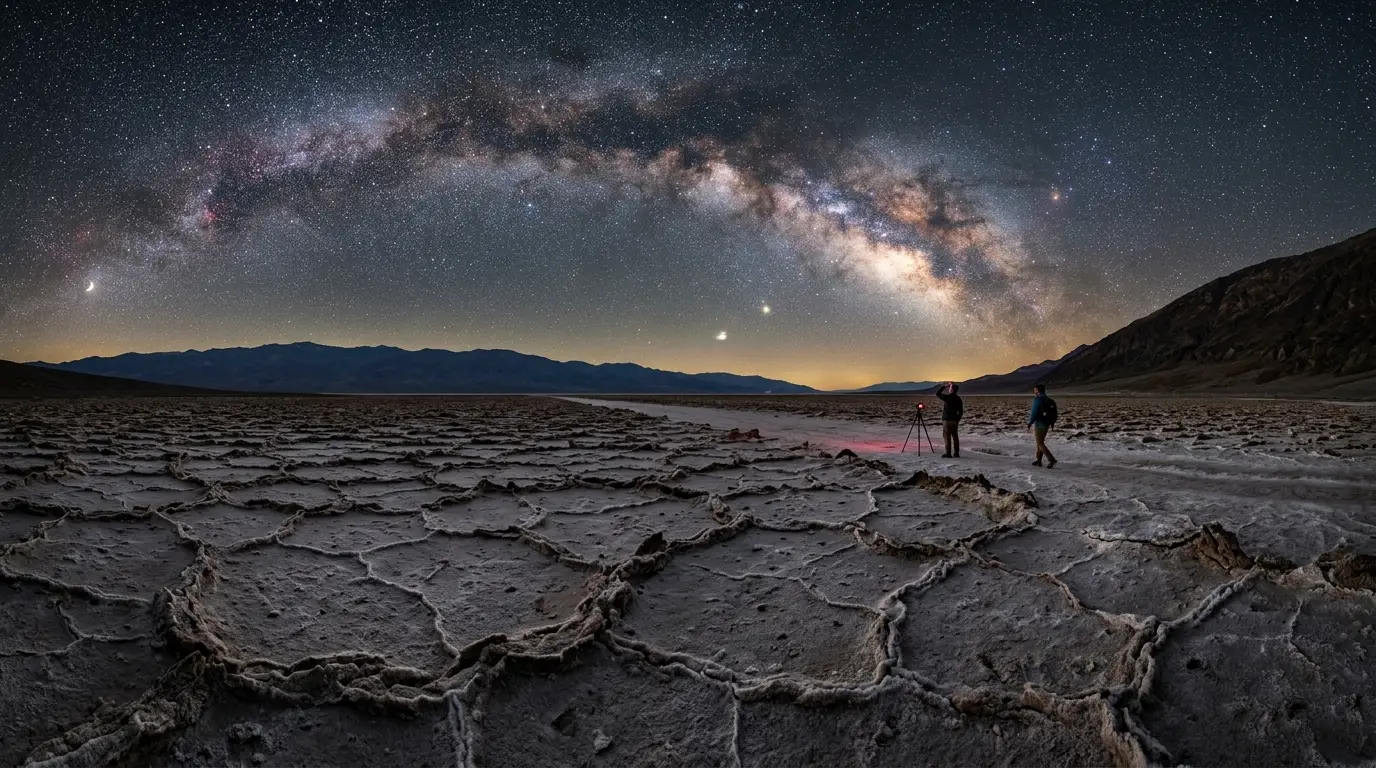
Death Valley hands you an unusual foreground for free. Badwater Basin, located 17 miles south on Badwater Road, provides an excellent stargazing experience with mountain horizons paired with the beauty of the night sky[9], and the basin's salt crust reads as a pale, textured plane under a phone's long exposure, something ordinary desert dirt never does. Away from any single landmark, the flats themselves are the draw: seeing the night sky from the salt flats can be a unique, otherworldly experience[10], bright white ground catching what little ambient light there is and throwing it back at the camera.

A few framing habits carry over from any dark-sky location, salt flat or otherwise:

  • Keep the horizon low, in roughly the bottom third of the frame, so the Milky Way's arc gets the room it needs
  • Use the mountain silhouettes ringing the basin as a dark shape to anchor the frame, rather than shooting flat salt with nothing above it
  • Tap and hold on the brightest star visible to lock manual focus before the exposure starts; a phone hunting for focus in near-total darkness usually fails and leaves the whole frame soft
  • Take a test shot and zoom into the actual stars, not the thumbnail, before committing a three-minute exposure to one composition
Smartphone on a mini tripod at Badwater Basin's salt flats in Death Valley, capturing a long-exposure astrophotography shot of the Milky Way core above distant mountain silhouettes

Smartphone on a mini tripod at Badwater Basin's salt flats in Death Valley, capturing a long-exposure astrophotography shot of the Milky Way core above distant mountain silhouettes

For the full list of named viewpoints beyond Badwater, best stargazing spots in Death Valley breaks down Zabriskie Point, Mesquite Flat Sand Dunes, and Ubehebe Crater, each of which frames differently through a phone lens than the salt flats do.

Managing Your Phone in Desert Heat, Not Cold

Every guide to phone astrophotography at a cold, high-elevation dark-sky park spends a paragraph on batteries dying in freezing air. Death Valley flips that problem on its head: the real risk here is desert heat, not cold. A phone that's spent the afternoon in a sun-baked daypack or on a dashboard arrives at the overlook already warm, and a warm phone running a three-minute exposure, screen lit, sensor working, generates its own heat on top of whatever the desert already gave it.
None of the camera settings in this guide fix that. What does is basic care before the shutter ever opens.
  • Keep the phone out of direct sun and out of a hot car during the day, in a bag or glovebox rather than on a dash or pressed against your body on a hot afternoon hike
  • Give the phone a few minutes to cool before a long exposure if it's been running GPS, a planning app, or the camera continuously; a warm sensor adds noise to a long exposure rather than reducing it
  • Carry a portable power bank regardless of the season; Astrophotography mode running for an hour of shots burns through charge faster than normal use, warm desert or cold rim alike
  • Turn on airplane mode at any overlook away from Furnace Creek, since a phone hunting for a weak signal drains battery for no benefit
Featured · Article

What Is Light Pollution? Definition, Types, and Solutions

Light pollution is artificial light brightening the night sky, affecting 80% of the world. Learn the 4 types, wildlife and health effects, and how to fix it.

The heat is also the reason to take Death Valley seriously beyond the camera. Summer daytime highs here are dangerous, not just uncomfortable, and the smarter plan is scouting a viewpoint in late-afternoon light and returning once the worst of the heat has broken, rather than arriving at an unfamiliar overlook after dark with a phone as your only light source.

Planning Your Night: Sky Apps and When to Go

A great camera setting can't fix a bad night. Two planning apps do a job no phone setting can: Stellarium offers an augmented reality experience, with overlaid stars, constellations, planets, comets, satellites, and deep-sky objects[11], letting you hold up the phone and see exactly what's overhead before committing to a composition. PhotoPills picks up the next step, planning Milky Way shots by visualizing where the galactic core will sit against the horizon at a given hour[12], useful for deciding whether Badwater's basin or one of the park's other overlooks gives the better angle on a given night.
Timing matters as much as the app. Best time to stargaze in Death Valley covers the moon-phase windows and seasonal patterns that decide whether there's a real Milky Way core to shoot on a given night; no camera setting substitutes for a full moon washing out the same sky a phone already struggles with. Once a date is picked, best stargazing spots in Death Valley walks through which of the park's four named viewpoints gives a phone the cleanest sightline to the core.

A short kit list covers what a first phone-only night at Death Valley actually needs:

  • A recent smartphone with Astrophotography mode or a similar long-exposure night setting
  • A small tripod or phone clip, since salt flats and dune fields rarely offer a railing to prop a phone against
  • A Bluetooth remote shutter or the phone's self-timer, either one avoids nudging the shot at the moment of capture
  • A portable power bank, kept out of direct heat during the day
  • A headlamp with a red-light setting, so you don't wreck your own night vision or anyone else's
Whatever ends up in your bag, dark sky etiquette covers the red-light discipline and quiet-hours habits that keep an overlook workable for every other phone and camera pointed at the same sky. A night or two with just a phone is usually enough to know whether Death Valley's sky is worth the trip back with a real camera.