
AuroraMAX: What the Canadian Space Agency's Live Feed Is and How to Use It
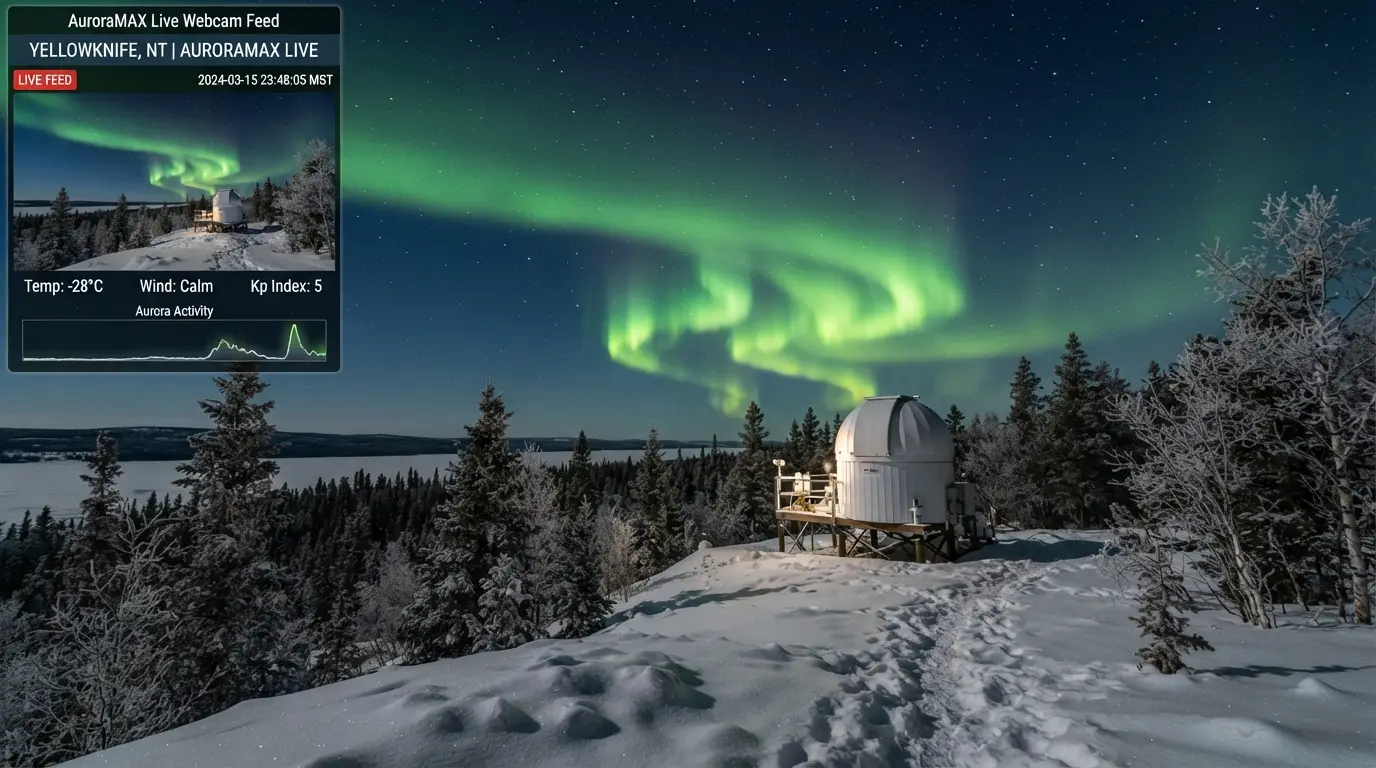
AuroraMAX is the only dedicated, publicly funded aurora observatory webcam operating in Yellowknife. It is a partnership between the Canadian Space Agency (CSA) and Astronomy North, the volunteer-run aurora forecast society that has served northern communities since 2004[1]. The observatory sits on a hilltop outside Yellowknife at roughly 62.5°N, parked directly under the auroral oval where northern lights activity fires on up to 240 nights per year[2].
The camera is a ground-level high-definition unit pointed at the northern sky. It activates automatically each evening as soon as the sun sets in Yellowknife during the aurora season, which runs from August through May[3]. During the summer months of June and July, the midnight sun at this latitude leaves too much twilight for any camera to capture aurora, and the feed goes dark. The camera captures still images at short intervals and serves them as a near-real-time stream. What you see on auroramax.com is within a minute or two of the actual sky conditions above the observatory.
2009
Access the feed at auroramax.com. The page works on any browser, including mobile. No login, no subscription, no app to install. For anyone planning a Yellowknife trip or just curious about what is happening in the sky right now, this is the first tab to open. The feed shows a wide field of view of the northern sky, so active aurora appears as green bands, arcs, or curtains moving across the frame. During geomagnetic storms, purple and red tones register on the camera sensor even when they are barely visible to the naked eye at ground level.
What the feed does not tell you is the forecast. AuroraMAX shows what is happening right now, not what will happen later tonight. For that, you need Astronomy North's daily Yellowknife aurora forecast, which updates before 2:00 PM Mountain Time every day during the season and translates global NOAA space weather data into a local Active, Moderate, or Calm rating specific to Yellowknife's 68°N magnetic position.
Other Yellowknife Sky Cameras Worth Checking
AuroraMAX is the main event, but it is not the only camera pointed at Yellowknife's sky. Several weather and aviation cameras capture the same overhead view and can serve as supplementary cloud-confirmation tools when the AuroraMAX feed is saturated, offline, or stuck on a static frame during a server hiccup.
NAV CANADA aviation weather cameras operate a network of sky-facing cameras at airports across the Northwest Territories, including Yellowknife Airport (YZF) [4]. These are designed for pilots assessing ceiling height and visibility, not for aurora viewing, and they refresh every 10 minutes with a wide north-facing shot. The frame rate is glacial compared to AuroraMAX, but on nights when the main feed is down, an aviation cam shows whether the sky is clear or socked in with cloud. Access them through NAV CANADA's flight planning portal at plan.navcanada.ca; select Yellowknife from the station list to view the available camera feeds. The image is black and white at night, so aurora registers only as a faint bright patch against the darker sky, not as colour. Use it for cloud checks, not for aurora detection.
Environment Canada weather radar and satellite imagery for the Yellowknife region is available through the Government of Canada weather office[5]. The satellite loop shows cloud cover movement across the Great Slave Lake region in near-real time, and it is the tool to use when you want to know if a band of cloud rolling in from the west will clear before midnight. None of these are dedicated aurora webcams, but the cloud data they provide is the bottleneck that determines whether any webcam, including AuroraMAX, shows anything useful.
A few tourism operators in Yellowknife occasionally stream live sky video to their social media pages, particularly during active geomagnetic storms when the display is too good not to share. These are sporadic and commercial at heart. Treat them as bonus content rather than a reliable monitoring tool. The two feeds that will reliably show you the Yellowknife sky, night after night, are AuroraMAX and the NAV CANADA aviation cam. Bookmark both.
What a Yellowknife Aurora Webcam Shows That a Forecast Cannot
Astronomy North's daily probability rating tells you the odds of activity. The webcam tells you whether activity is actually happening right now above Yellowknife, and whether cloud is blocking it. Those are two different pieces of information, and on any given night, one matters more than the other.
A forecast rated Active can sit over a sky filled with cloud from Great Slave Lake's autumn steam, and the result is a perfectly quiet webcam frame. A forecast rated Calm can produce faint arcs visible on camera that the human eye would dismiss as grey wisps. The webcam is the ground-truth check, the last data point before making a decision. For travelers already in Yellowknife, it is the tool that saves you from driving 25 km down the Ingraham Trail in -30°C only to find the sky greyed out.
The camera sensor also sees more colour and structure than the human eye does, a well-known characteristic of digital camera sensors in low-light aurora conditions. A faint green band that looks grey and nearly invisible to the naked eye at Kp 2 will register as a distinct green arc on the AuroraMAX feed. This is not a flaw. It means the webcam is a more sensitive early-warning system than your own vision. If you see a green structure on the webcam, aurora is overhead. If you see nothing, it is truly quiet.
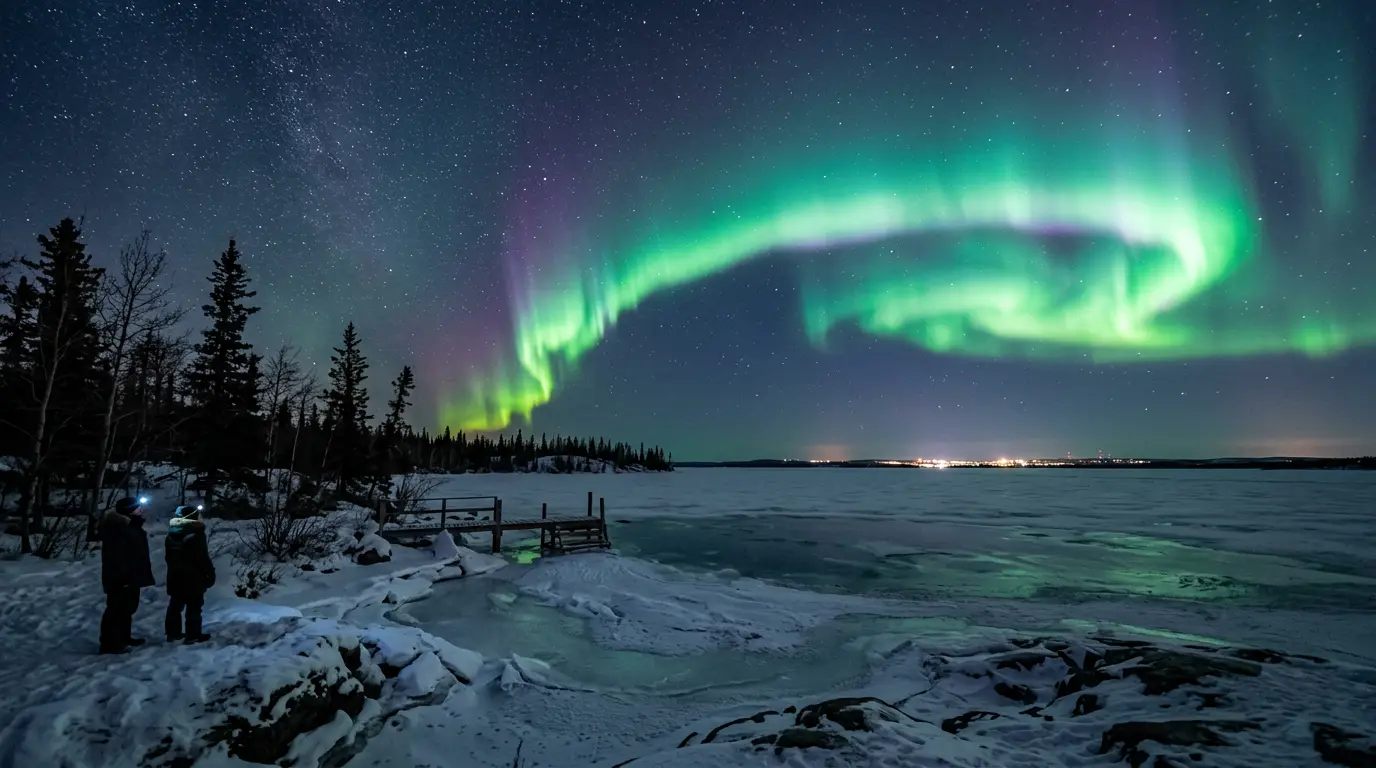
Featured · Destination
Yellowknife Northern Lights
Yellowknife sits beneath the auroral oval: up to 240 aurora nights per year. Guide to seasons, viewing spots, Indigenous-led tours, and cold-weather planning.
What the webcam cannot do: it cannot tell you if the aurora will intensify in the next 30 minutes, it cannot predict whether a substorm is building, and it cannot show you what is happening 30 km east of the observatory where the sky may be darker. The webcam is a single-point sample of a dynamic sky. Treat it as the best available live data, not as a guarantee of what you will see from every pull-off on the best aurora viewing spots near Yellowknife.
The Best Hours and Months to Watch Yellowknife Webcam Feeds
The webcam is live every clear night from mid-August through early May, but not every hour inside that window is equally productive. Auroral activity follows a loose daily rhythm driven by Earth's rotation through the magnetotail, and Yellowknife's best viewing hours cluster around magnetic midnight, which falls roughly between 10:00 PM and 2:00 AM Mountain Time.
Activity typically builds after sunset, peaks near magnetic midnight, and decays toward dawn. A quiet webcam feed at 8:00 PM does not mean the night is a loss. Substorms, the injection of energetic particles that produces the brightest and fastest-moving aurora, often arrive without warning around 11:00 PM or midnight. If the feed is dark at 9:00 PM, check again at 11:00 PM before writing off the night.
The seasonal pattern is even sharper. The October-to-mid-November window is a well-known trap for webcam watchers. During this period, Great Slave Lake's open water releases stored summer heat into the cooling atmosphere, generating persistent low cloud that can sit over the region for days at a stretch. Tour operators largely pause operations during these weeks. The AuroraMAX feed during October shows grey cloud more often than green sky, and a first-time webcam watcher who logs on in late October and sees nothing for a week straight will reasonably conclude the webcam is broken. It is not. The sky is just clouded over. The best time for northern lights in Yellowknife covers the full seasonal calendar in detail, but for webcam purposes the practical rule is simple: December through March delivers the cleanest, most reliable feed. The arctic high-pressure cell that settles in after freeze-up collapses humidity and produces the clearest skies of any major aurora destination.
Moon phase also affects what the webcam shows. A full moon illuminates the snow-covered landscape around the observatory and washes out faint aurora on the camera sensor just as it does to the naked eye. A waxing crescent sets early and leaves the darkest possible sky for the midnight viewing window. If you are planning to watch the webcam on a specific date, check the moon phase calendar first.
Using Webcams to Plan and Execute Your Trip
The most common mistake people make with a Yellowknife aurora webcam is treating it like a trip-planning tool when it is actually a same-night decision tool. A single webcam frame from February 12 tells you what the sky looked like on February 12. It tells you nothing about what the sky will look like on your travel dates in March. For trip planning, you need the seasonal patterns, the freeze-up calendar, and the moon phase tables. The webcam is for the night you are there, not for the night you might go.
That said, watching the feed regularly in the weeks before your trip serves a real purpose: it calibrates your expectations. If you spend 10 evenings watching AuroraMAX in January, you learn what Kp 2 aurora looks like on camera versus Kp 4, how fast the structures shift, and roughly what time of night activity peaks. That calibration means that when you are standing in the cold at Prelude Lake at 11:30 PM, you know what you are looking at and whether to stay or go.
For travelers on the ground in Yellowknife, the webcam is part of a nightly sequence that starts with the forecast and ends with the car keys. Open Astronomy North in the afternoon for the daily Active/Moderate/Calm rating. Check the NOAA OVATION 30-minute model and SpaceWeatherLive for real-time Kp and Bz around sunset. Then, before heading out, open AuroraMAX. If the feed shows green bands pulsing, go. If it shows black sky, wait 30 minutes and refresh. If it shows grey cloud, check the NAV CANADA aviation cam at YZF to confirm whether the cloud is local or regional, then decide.
“AuroraMAX is a Canadian aurora observatory. By means of a ground camera in Yellowknife, Northwest Territories, you can see the aurora from the comfort of your home. The camera turns on automatically as soon as the Sun sets in Yellowknife during the aurora season, between August and May.”
This sequence works because each tool answers a different question. The forecast answers "is activity likely tonight?" Space weather data answers "is the magnetosphere open right now?" The webcam answers "is aurora actually visible above the city?" No single tool answers all three. Together they turn a gamble into a calculated decision.
What to Do When the Webcam Shows Nothing
A dark webcam feed on a night you blocked out to watch aurora is frustrating, whether you are on your couch in Toronto or shivering in a rental car at km 25 of the Ingraham Trail. The right response depends on what kind of dark it is.
Black sky, stars visible, no aurora. The sky is clear but activity is quiet. This is a waiting game. Keep the feed open in a background tab and refresh every 30 minutes. Substorms often arrive suddenly near magnetic midnight. A night that is dead at 10:00 PM can produce a G1 storm by 12:30 AM. If you are in Yellowknife, use the quiet hour to dial in camera settings and confirm your tripod is stable on snow. The how to photograph the northern lights guide covers the exposure triangle for aurora; a calm night is the best time to test it without pressure.
Grey or washed-out sky. Cloud has moved in. Check the NAV CANADA aviation cam at YZF for a second opinion. If both cameras show cloud, the night is probably lost unless the cloud layer is thin enough for bright aurora to punch through (Kp 5 and above). Windy.com or Environment Canada satellite loops show whether the cloud band is moving. A fast-moving band clearing from the west may open the sky by midnight; a stationary low-pressure system means the night is done.
Featured · Article
What Is Astrotourism? The Complete Beginner's Guide
Astrotourism means travel built around dark skies: meteor showers, auroras, the Milky Way. What it means, where to go, and how to plan your first trip.
Recommended tours
Tours are selected for quality, not commission. I earn a small fee if you book — at no extra cost to you.


Whiteout or snow on the lens. During active snowfall or blowing snow, the webcam frame becomes a featureless white field. This is not aurora. The giveaway is that the entire frame is uniformly white, with no green banding and no variation in intensity. During heavy snow, the webcam is useless and the sky is obscured anyway.
Summer blackout. From early May through early August, the webcam feed goes dark because there is no astronomical darkness at 62°N latitude. This is not a technical failure. The midnight sun eliminates all usable viewing hours. The Astronomy North aurora forecast service pauses for the same reason, resuming each year on August 10.